How to add a table and sort the table in Restaurant POS
Steps to add a table:
- Switch to POS Backend.
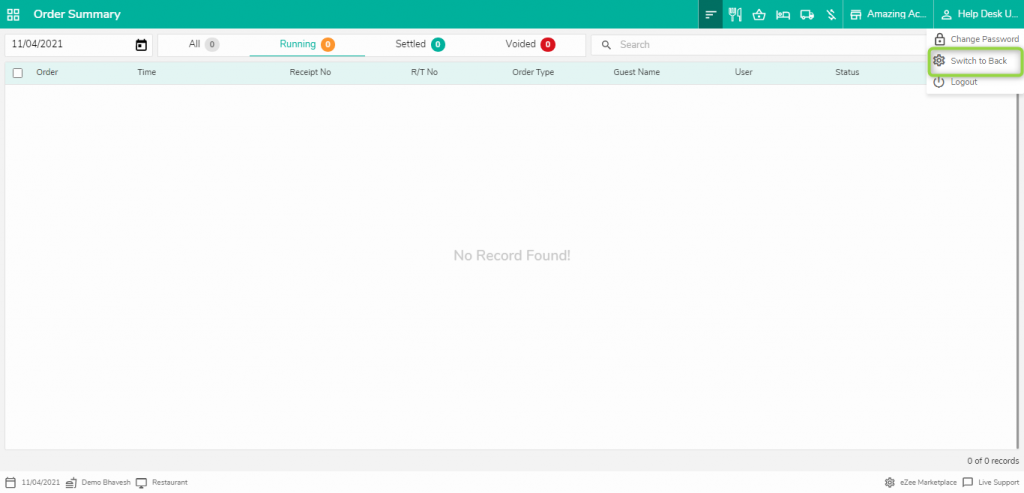
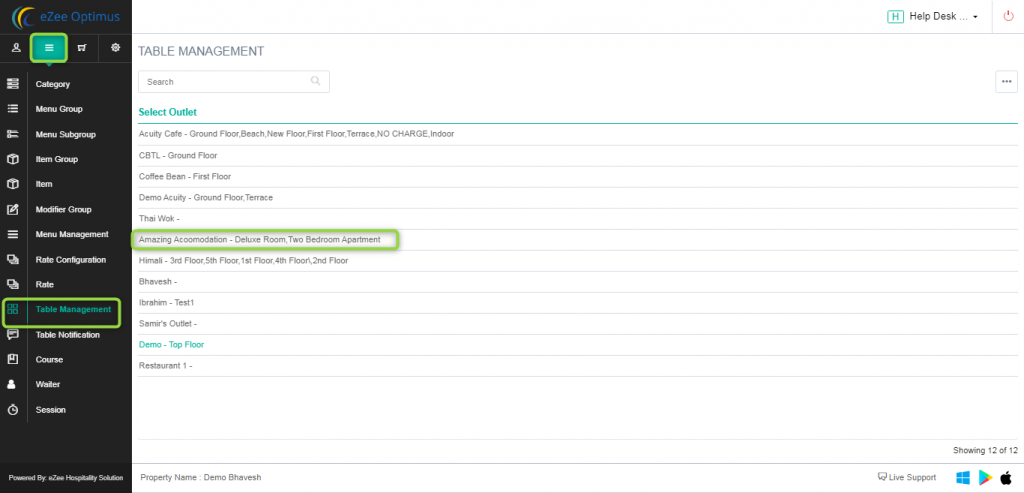
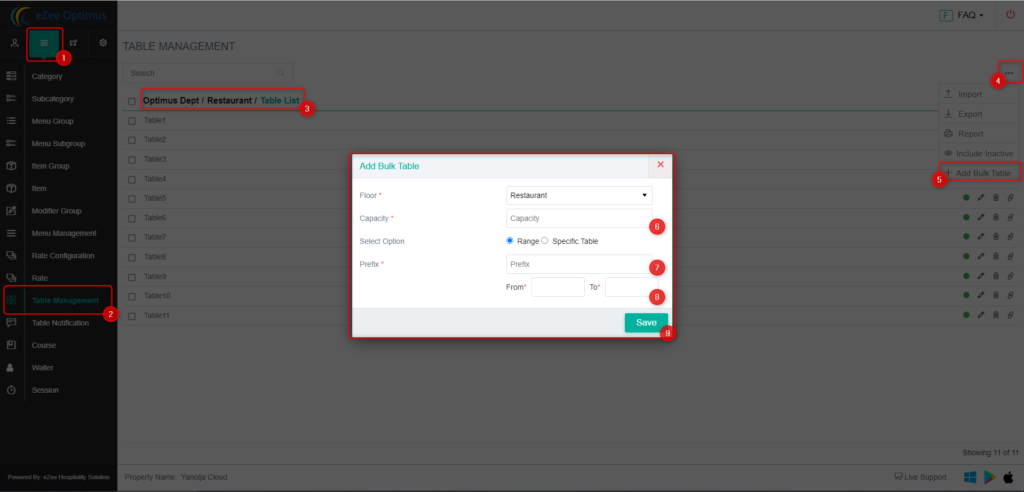
2. Open Table management, Select the outlet to which you want to add the table,
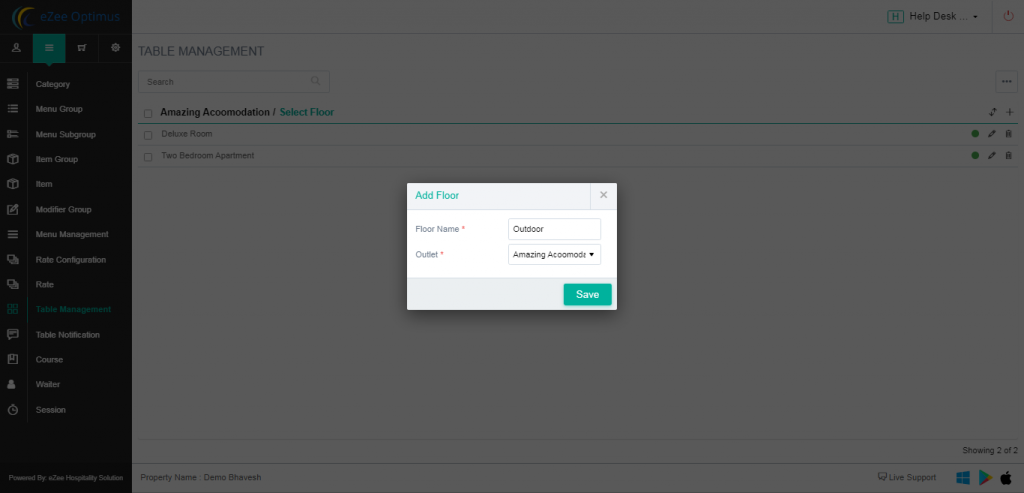
3. Define the floor in which you want to add the table.
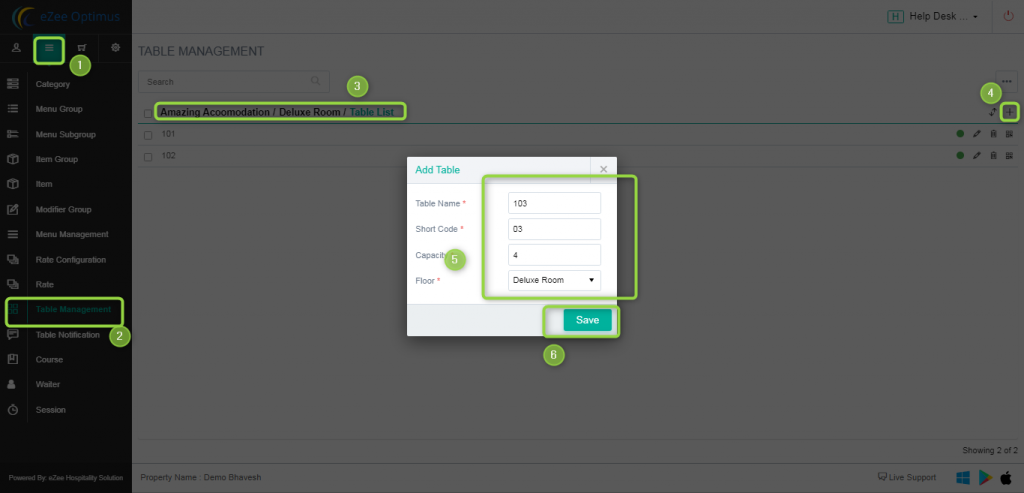
4. Add the table, Define the name of the table, Shortcode for display table sequence-wise, Define the table occupancy, and select the floor you want to add the table.
Method 1: One By One
Method 2: Add Table In Bulk
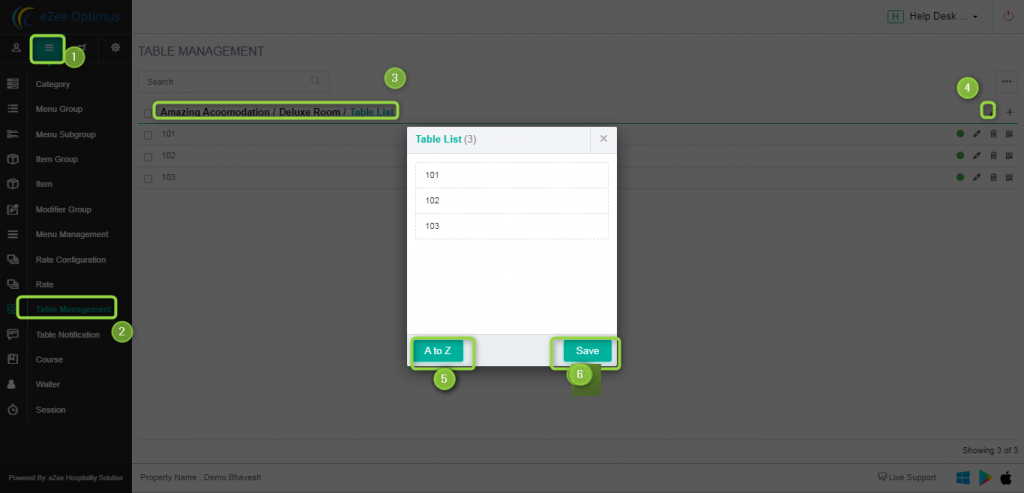
Sorting of the table to display sequence-wise.
Related Articles
How to add session(i.e Happy Hour) and set session rate in POS?
What is Session, Happy Hours, or Cocktail Hours? POS offers discounts in a period of time or season called Happy hour. It can be unlimited food offers, Combo Offers, Free Drinks, discounted menu items, Weekend Offers, etc. Location: eZee Optimus >> ...How to add menu item BOM( Bill of material/ Inventory Consumption) in POS
What is menu item BOM - Inventory Consumption? When we punch menu item in the outlet, our store item got reduce to make item. Set menu item BOM to manage inventory consumption. Example, Sell a sandwich from POS so we will add sandwich's ingredients ...How to add store item and activate in outlets in POS
What is the store Item? Menu Item is prepared by store items which are purchasing from vendors. Example: Store item>> Breads, Mayonnaise Sauce, Tomato, Onion etc. for menu item Location: eZee Optimus >> Switch to back >> Inventory >> Store Item ...How to Add Vendors/Suppliers
The vendor catalog is a list of goods available from different vendors. An accurate and complete vendor catalog can make it easier to keep items in stock at the best possible price. You can link multiple vendor catalog items to a single product ...How To Enable The No Charge Module And How To Take No Charge Orders In POS
What is a No Charge Account? This account is used for the employees of the restaurant or the guest for which you do not wish to charge(i,e guests on fullboard or halfboard). You can use this order as a complimentary for persons like Restaurant Staff, ...