How to Perform Indent/Requisition in POS
Q: What is Indent ?
Ans: Indent is basically a list raised by employees of an Main Store asking for materials needed which are present in the store. The indents can be raised by any employee when he requires item from the stores.
Q. How to Create an Indent ?
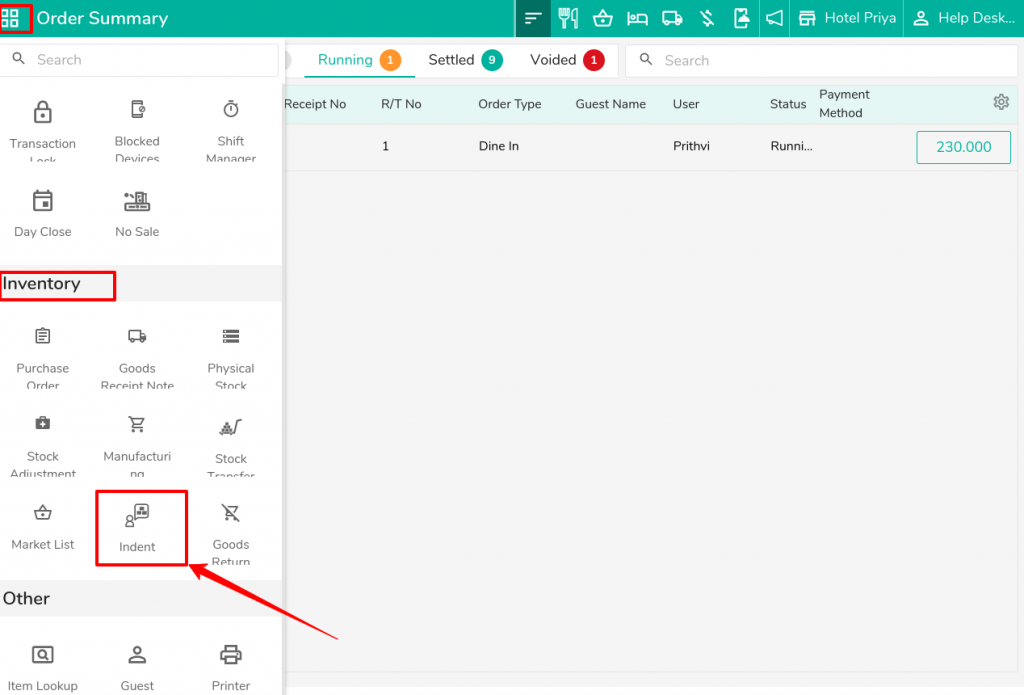
Ans: Select the Indent for requesting stock from the Inventory Module.
Ans: Indent is basically a list raised by employees of an Main Store asking for materials needed which are present in the store. The indents can be raised by any employee when he requires item from the stores.
Q. How to Create an Indent ?
Ans: Select the Indent for requesting stock from the Inventory Module.
Click on the “+” icon for create the new Indent.
Now select the Store(Main Store) & add the list of item which you want in your store & click on save.
Now, the store employee will check your request from the store (where you requested the stock) and transfer it to you.
Please follow the steps below to approve and transfer the stock.
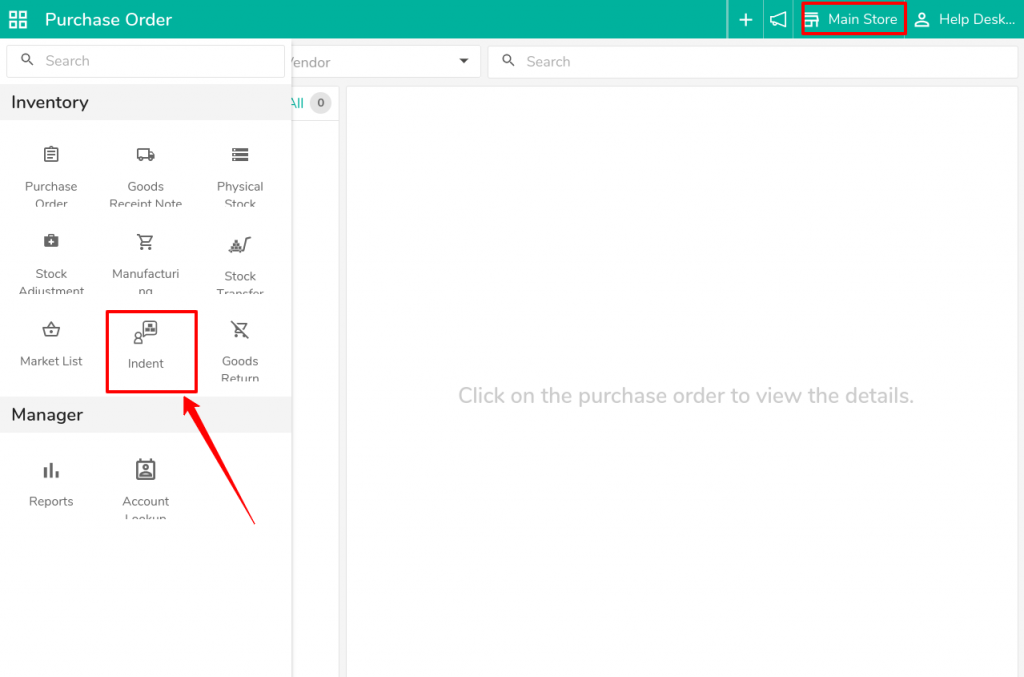
Go to the store (Main Store ) & click on Indent .
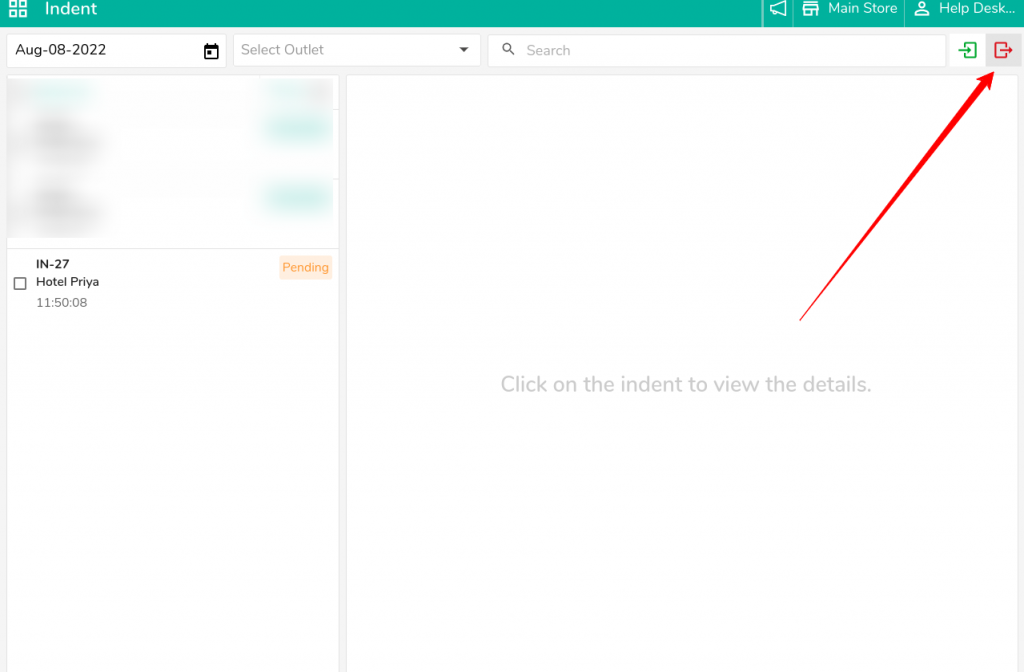
Click on the Red Button to see the requested list of stores from various stores.
Now, recall the indent and enter the authorized quantity (the amount of stock you will transfer to the listed store) & click on Save.
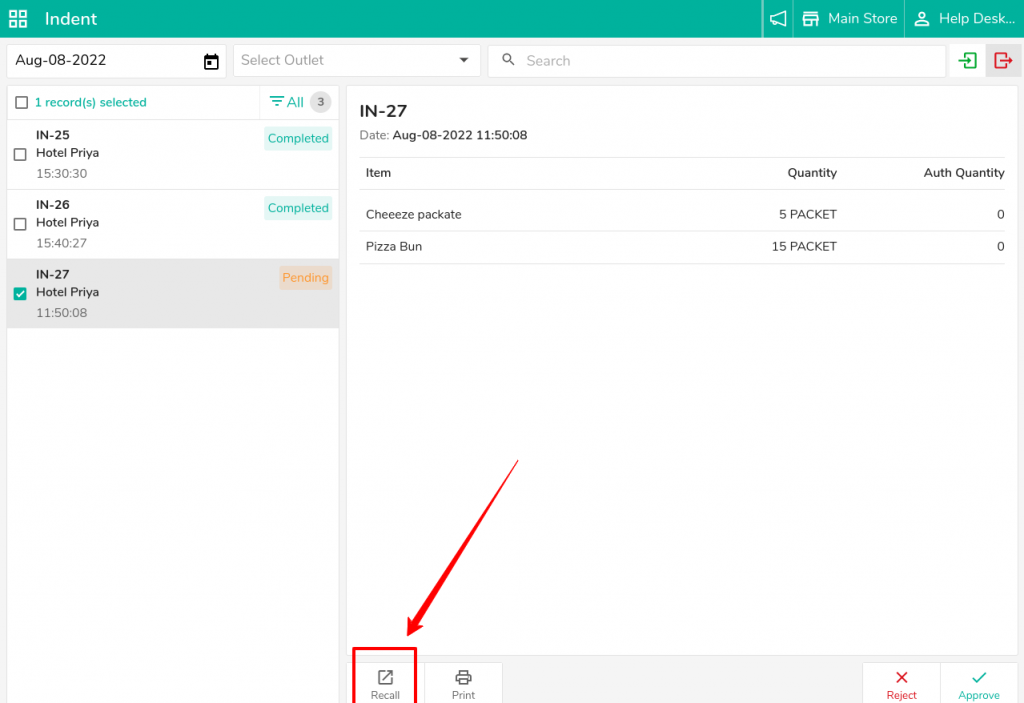
Now click on Approve.
After approving, you will see the Issue option, which you can use to issue the stock from this store to the requested store.
Related Articles
How to Merge Orders in POS
What does the Marge Option do? If we wanted to combine different orders, we can use the merge option on the Optimus side. How to perform the merge Operation Step 1: Click on the Order summary Step 2: Now, choose the orders you wish to merge and click ...How to add menu item BOM( Bill of material/ Inventory Consumption) in POS
What is menu item BOM - Inventory Consumption? When we punch menu item in the outlet, our store item got reduce to make item. Set menu item BOM to manage inventory consumption. Example, Sell a sandwich from POS so we will add sandwich's ingredients ...How to add a table and sort the table in Restaurant POS
Steps to add a table: Switch to POS Backend. 2. Open Table management, Select the outlet to which you want to add the table, 3. Define the floor in which you want to add the table. 4. Add the table, Define the name of the table, Shortcode for display ...How to add session(i.e Happy Hour) and set session rate in POS?
What is Session, Happy Hours, or Cocktail Hours? POS offers discounts in a period of time or season called Happy hour. It can be unlimited food offers, Combo Offers, Free Drinks, discounted menu items, Weekend Offers, etc. Location: eZee Optimus >> ...Stock Ledger Report in POS
What is a Stock Ledger Report? A Stock Ledger Report is a detailed record of all transactions affecting inventory items in an organization. It tracks all changes in stock levels due to various operations such as stock in, stock out, stock ...